Build a Trello Schedule That Actually Gets Your Blog Posts Published
Turn a free Trello schedule into a real editorial calendar. Columns, Power-Ups, and Squarespace/WordPress workflows that keep blog posts moving to publish.

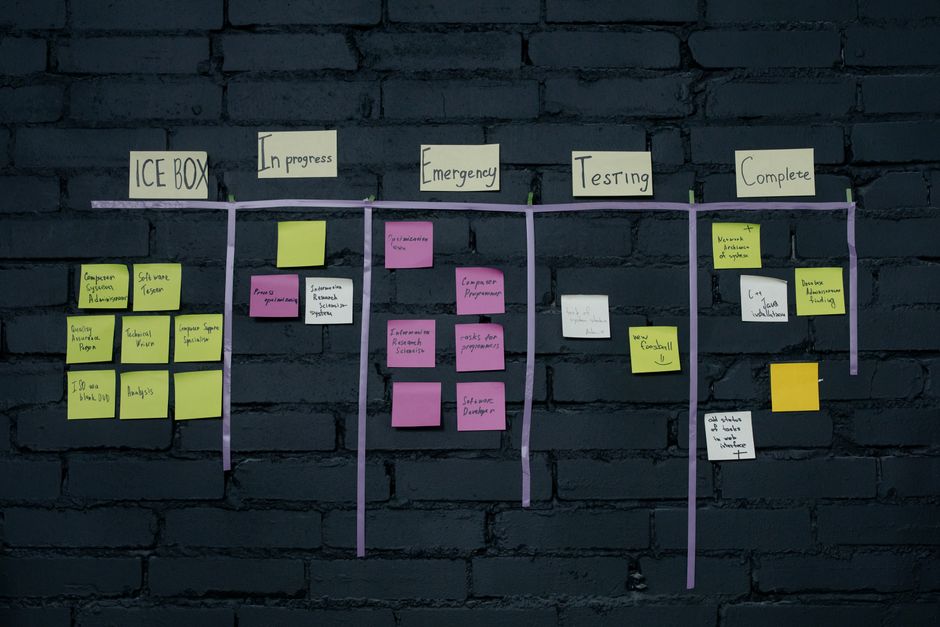
Your blog calendar lives in three places: a sticky note, your memory, and pure panic. Trello can fix that without forcing you into another bloated tool you'll abandon by October. Here's how to turn a free Trello board into a real content schedule that actually gets posts published.
Key Takeaways
- Trello works as a scheduling system because it's visual, flexible, and free to start.
- Set up columns for content stages, not just dates, to avoid a graveyard of stalled drafts.
- Power-Ups like Calendar view turn a simple board into a real editorial schedule.
- Trello pairs well with Squarespace and WordPress but doesn't publish for you.
- Automation rules (via Butler) can nudge cards forward so nothing sits untouched for weeks.
Why use Trello for scheduling blog content?
Trello works because it's dead simple, completely visual, and costs nothing to try. You drag a card, you see progress. No spreadsheet, no fifteen-tab project management suite, no onboarding video required.
Compare that to most dedicated editorial calendar software, which wants you to learn a new interface before you've published a single post. Trello skips that. You open a board, you make a column, you're working.
The Kanban layout does something spreadsheets can't: it shows you exactly where content dies. If half your cards are stuck in "Editing" and nothing's moving to "Scheduled," that's not a mystery anymore. It's a bottleneck staring you in the face.
It also scales in both directions. A solo blogger can run an entire content operation off one board. A small agency can add swimlanes per client and keep everyone's queue visible without a single status meeting.
The catch, and it's a real one: Trello won't push anything live. It's a planning and tracking tool, not a publishing tool. You still need a CMS-side workflow to actually get posts in front of readers and build consistent traffic, which we'll get to shortly.
How do you set up a Trello schedule for blog content?
Build a board with columns that represent stages of work, not calendar dates, so posts have somewhere concrete to move through instead of stalling in a vague "someday" pile — the same approach behind a template that turns 40 ideas into published posts. A basic five-to-six column setup handles almost any blog.
Start with something like this:
- Ideas: raw topics, keyword targets, half-formed thoughts.
- Researching: you've committed, now you're gathering sources and outlining.
- Drafting: the actual writing stage.
- Editing: revisions, fact-checks, SEO pass.
- Scheduled: final copy is done and a publish date is locked.
- Published: it's live, move on.
One card per post. Every card gets a due date that matches your intended publish date, not some soft internal deadline you'll ignore. That due date is what makes the board a schedule instead of just a to-do list.
Inside each card, add a checklist for the SEO grunt work that's easy to forget under deadline pressure: target keyword, meta description, internal links, alt text on images. Checking boxes forces you to actually do the steps instead of assuming you will.
Labels are your friend here too. Tag cards by content type (tutorial, listicle, roundup) or by keyword cluster, so you can glance at the board and see whether you're leaning too hard on one content format and starving another.
Trello's Calendar view and Power-Ups worth using
The Calendar Power-Up is the single upgrade that turns Trello from a task board into an actual publishing calendar. It pulls every card's due date and lays them out on a month grid, so you can see at a glance whether you've got three posts landing the same week and nothing scheduled the next.
Butler automation is the other one worth setting up early. You can build rules that auto-move cards when a checklist is completed, assign due dates automatically when a card enters "Drafting," or fire off a notification when something's been sitting in "Editing" too long. That last one matters more than it sounds: stalled cards are how content calendars quietly die.
Custom Fields let you track details specific to your workflow: word count targets, target keyword, funnel stage, whichever metric your team actually cares about. Add only what you'll use. A board cluttered with fields nobody checks is worse than no fields at all.
Templates round it out. Once you've built a scheduling blog content template that actually works (checklist, labels, custom fields, the works), clone it for every new post idea instead of rebuilding from scratch. Consistency here saves real time over a year of publishing.
Connecting Trello to Squarespace or WordPress
Trello never publishes anything for you; it plans and tracks, then you hand the finished draft to your CMS to actually go live. That handoff is manual, and there's no way around it without adding a separate automation layer.
If you're on Squarespace, use Trello to plan, outline, and draft using a system that actually works. Once the post is polished and the checklist is complete, copy the final copy into the Squarespace blog editor and organize and schedule your Squarespace blog posts like a pro by setting the publish date natively there. Squarespace's own scheduler handles the "go live" part; Trello just makes sure you had a finished draft ready on time.
If you're on WordPress, the same split applies, and you can schedule blog content on WordPress without the publishing chaos once you know the workflow. Plan and draft in Trello, then move the copy into WordPress and use its built-in post scheduler. If you batch content and publish in bulk, a plugin-based workflow can help you queue multiple posts at once, but Trello still isn't the thing pulling the trigger.
For teams that want to automate their blog schedule using Squarespace, Trello & Hootsuite, Zapier or Make can bridge the gap between the two systems. Set up a trigger so moving a Trello card to "Published" pings a Slack channel or logs the post in a Google Sheet. It won't publish anything either, but it keeps everyone informed without someone manually updating a status doc.
When Trello stops being enough
Trello starts to strain once you're publishing daily across multiple writers and the manual card-shuffling eats more time than it saves. At that point, the flexibility that made it great for a solo blogger becomes a liability for a team that needs less clicking and more automation.
Dedicated scheduling blog content apps or AI-assisted scheduling platforms add the automation Trello lacks natively: auto-publishing to your CMS, built-in approval chains, content performance tracking baked into the same dashboard. You pay for that convenience, but at high volume, the time saved usually justifies it.
A hybrid setup works well too. Keep Trello for ideation, planning, and status tracking (it's genuinely good at that), and let a dedicated automation tool like Asana handle your SEO content workflow for the actual publish trigger. You don't have to pick one system and abandon the other.
Here's how the two approaches stack up:
| Feature | Trello | Dedicated scheduling platform |
|---|---|---|
| Cost to start | Free tier available | Often paid, sometimes with free trial |
| Auto-publish to CMS | No, manual handoff required | Often yes, direct integration |
| Visual workflow | Strong (Kanban boards) | Varies by tool |
| Best for | Solo creators, small teams planning ahead | Teams publishing high volume across channels |
| Learning curve | Low | Moderate to high |
If you're a solo creator or a two-person team, that table basically makes the decision for you. If you're managing five writers and a daily publishing cadence, it's worth pricing out the dedicated option before your Trello board turns into another abandoned system.
The bottom line
Trello won't write your posts or hit publish for you, but it will stop your content calendar from living in your head and falling apart every other week. Build the board once, keep cards moving, and let the CMS handle the actual publishing.
Frequently Asked Questions
Is Trello actually good enough for a real editorial calendar?
For solo creators and small teams, yes. It gets shaky once you're coordinating five writers and daily publishing; that's when a dedicated tool starts pulling its weight.
Can Trello schedule posts directly to Squarespace?
No. Trello has no native publishing integration with Squarespace, so you plan and draft in Trello, then move the final copy into Squarespace and set the publish date there.
What's the fastest way to start a Trello blog schedule today?
Make five columns (Ideas, Drafting, Editing, Scheduled, Published), add one card per post idea, and set a due date on each. Expand with Power-Ups once the basics feel natural.
Do I need the paid version of Trello for this to work?
No. The free tier covers boards, cards, checklists, and basic Power-Ups, which is plenty for most small business or solo blogging workflows.