Free Post Scheduling Tools That Actually Work (Step-by-Step Setup Guide)
Discover powerful free post scheduling tools like Buffer, Hootsuite & Later. Complete step-by-step setup guide with advanced hacks to automate your content w...

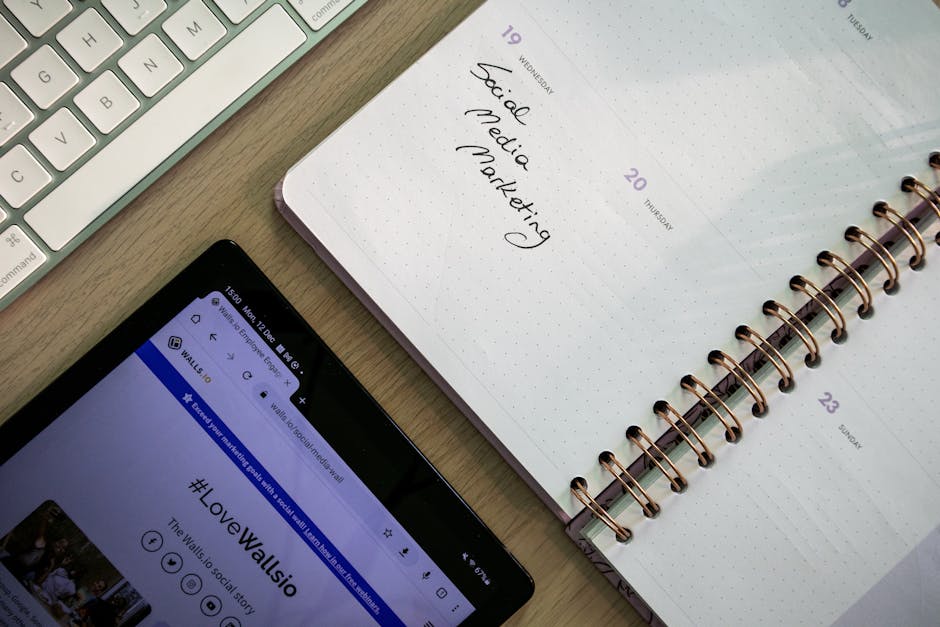
Managing social media posts and blog content across multiple platforms can quickly become overwhelming, especially when you're running a business solo or with a small team. The good news? You don't need expensive enterprise tools to streamline your content workflow. Free post scheduling tools have evolved dramatically, offering powerful automation features that rival premium platforms. In this comprehensive guide, we'll explore the best free scheduling solutions available, walk through hands-on setup processes, and share optimization strategies that will transform your content publishing from chaotic to systematic—without breaking your budget.
Top Free Post Scheduling Tools That Actually Work
The landscape of post scheduling tools free options has matured significantly. Here's what actually works for content creators who need reliable, feature-rich solutions without monthly fees.
Buffer Free Plan: Features, Limitations, and Best Use Cases
Buffer's free tier remains one of the most generous offerings in the scheduling space. You get 3 social accounts connected simultaneously, with 10 scheduled posts per account. That's 30 posts total—enough for consistent daily posting across Facebook, Twitter, and LinkedIn.
The interface excels at simplicity. Draft your post once, customize it for each platform, and Buffer handles the rest. Their browser extension lets you share articles directly from any webpage, automatically pulling in headlines and featured images.
Best for: Solo creators and small businesses focusing on 2-3 core platforms. The analytics are basic but sufficient for tracking engagement patterns and optimal posting times.
Limitation to know: No Instagram direct posting on the free plan—only notifications to post manually. However, this actually works well for maintaining authentic engagement since you're prompted to respond to comments immediately.
Hootsuite Free Tier: Platform Coverage and Scheduling Limits
Hootsuite's free plan offers 3 social profiles and 5 scheduled posts at any given time. While more restrictive than Buffer in post volume, Hootsuite shines in monitoring and engagement features.
The unified inbox aggregates comments, mentions, and messages across platforms. This proves invaluable for small businesses where social customer service directly impacts revenue. You can respond to Instagram comments and Twitter mentions from one dashboard.
Strategic use case: Reserve Hootsuite for high-engagement periods like product launches or campaign pushes. Schedule your 5 most critical posts, then use the monitoring features to capitalize on organic conversations.
Later's Free Offering: Visual Content Focus and Instagram Strengths
Later built their reputation on Instagram scheduling, and their free plan reflects this heritage. You get 10 posts per platform across Instagram, Facebook, Twitter, and Pinterest—but the visual planning tools are where Later truly excels.
The drag-and-drop calendar interface lets you see how your Instagram grid will look before posts go live. This visual preview prevents awkward spacing or color clashes that hurt engagement. Their media library automatically saves hashtag combinations and captions for reuse.
Power user tip: Use Later's Linkin.bio feature (free on all plans) to create a clickable Instagram landing page. Each post can link to specific blog articles, turning Instagram traffic into website visits.
Native Platform Schedulers: Hidden Gems Worth Using
Don't overlook built-in scheduling tools. Facebook Creator Studio handles both Facebook and Instagram posting with no account limits. LinkedIn's native scheduler often delivers better organic reach than third-party tools. Twitter's draft system isn't technically scheduling, but combined with tools like TweetDeck, creates a workflow many professionals prefer.
Reddit scheduling hack: While Reddit doesn't offer native scheduling, tools like Delay for Reddit (browser extension) let you queue posts for optimal timing. This becomes crucial since Reddit's algorithm heavily weighs initial engagement velocity.
Setting Up Your Free Scheduling Workflow (Step-by-Step)
Transform your content chaos into a systematic publishing machine with this proven workflow designed for free tool limitations.
Account Setup and Platform Connections for Beginners
Start with one tool, three platforms. Attempting to manage multiple schedulers simultaneously creates more work, not less. Choose Buffer if you prioritize simplicity, Later for visual content, or Hootsuite for engagement management.
Connection priority order:
- Twitter/X - Fastest engagement feedback, ideal for testing content angles
- LinkedIn - Highest traffic conversion rates for B2B content
- Facebook or Instagram - Choose based on your audience demographics
Avoid connecting all platforms immediately. Master your workflow with 2-3 accounts before expanding. Each platform has unique optimal posting frequencies and content styles.
Content Calendar Planning: Weekly and Monthly Batching Strategies
Free tools force efficiency through constraints. Use this limitation as a feature, not a bug. Batch content creation into focused sessions rather than daily scrambling.
The 2-Hour Weekly Batch System:
- Sunday (30 minutes): Review last week's performance, identify top-performing content themes
- Monday (90 minutes): Create and schedule all social content for the week
- Daily (5 minutes): Monitor notifications, respond to engagement
Monthly planning template:
- Week 1: Educational content (how-to guides, tutorials)
- Week 2: Behind-the-scenes, personal insights
- Week 3: Industry news reactions, curated content
- Week 4: Product/service highlights, testimonials
This rotation ensures content variety while maintaining consistent value delivery.
Creating Content Buckets and Template Systems
Free plan limitations make content templates essential. Develop 5-7 post formats you can execute consistently:
Template Example - Blog Promotion Post:
🔥 New on the blog: [Compelling Headline]

Key takeaway: [One actionable insight from the post]

Perfect for: [Target audience description]

Read more: [Short link with UTM tracking]

#hashtag #relevant #tags
Content bucket allocation:
- 40% Original insights and tips
- 30% Blog post promotions
- 20% Curated industry content
- 10% Personal/behind-the-scenes content
This ratio ensures valuable original content while promoting your blog systematically.
Time Zone Optimization and Peak Posting Hours Research
Free tools often limit posting times to preset options. Research your audience's active hours using native platform analytics (available free on all major platforms).
Quick research method:
- Post manually at different times for one week
- Note engagement rates within 2 hours of posting
- Identify your personal peak windows
- Schedule all posts within these optimized timeframes
General optimization rules:
- B2B content: Tuesday-Thursday, 9-11 AM and 2-4 PM EST
- Consumer content: Evenings and weekends see higher engagement
- Reddit: Early morning (6-8 AM) and lunch hours (11 AM-1 PM) in target subreddit time zones
Advanced Free Tool Hacks and Optimization Techniques
Push free scheduling tools beyond their intended limits with these proven optimization strategies.
Cross-Posting Strategies to Maximize Reach Without Duplication Penalties
Platform-specific adaptation prevents penalty flags while maximizing your content creation investment. Never post identical content across platforms—algorithms detect and suppress duplicate content.
Adaptation framework:
- Twitter: Focus on key statistics or quotes from your blog post
- LinkedIn: Add professional context and industry implications
- Facebook: Include personal story or customer benefit angle
- Instagram: Lead with visual impact, caption tells the story
Case study: Sarah, a solo marketing consultant, increased her blog traffic 300% using only Buffer's free plan. She wrote one blog post weekly, then created seven different social posts promoting it—one for immediate sharing, six for spaced promotion over the following month. Each post highlighted different benefits for different audience segments.
Using URL Shorteners and UTM Parameters for Tracking
Free scheduling tools rarely include advanced analytics, but you can build tracking into your workflow using free URL tools.
UTM parameter structure for social posts:
https://yoursite.com/blog-post?utm_source=twitter&utm_medium=social&utm_campaign=blog_promotion&utm_content=week2_post
Bit.ly (free plan) provides click tracking and geographic data. Google Analytics shows traffic source performance. Combined, these tools reveal which scheduled posts drive actual website visits versus vanity engagement metrics.
Repurposing Blog Content Into Social Posts Automatically
Transform each well-optimized blog post into 4-6 social posts using this systematic approach:
Blog post breakdown:
- Introduction hook → Twitter thread starter
- Key statistic → LinkedIn professional insight
- Step-by-step process → Instagram carousel or Twitter thread
- Case study mention → Facebook story-style post
- Conclusion/call-to-action → All platforms, posted 1 week after original
Time-saving hack: While writing blog posts, copy compelling sentences into a "social quotes" document. This eliminates the blank page problem when creating promotional posts.
Reddit Posting Optimization: Timing, Subreddit Rules, and Engagement Tactics
Optimizing blog posts reddit promotion requires finesse. Reddit users despise obvious self-promotion, but value genuine helpful content.
The 90/10 rule: For every blog post you share, contribute to 9 discussions without self-promotion. This builds credibility and prevents spam flags.
Optimal Reddit strategy:
- Research subreddit rules about self-promotion before posting
- Share in smaller, relevant communities rather than massive subreddits
- Lead with value in your title, not your brand
- Engage authentically in comments—don't just post and disappear
Timing optimization: Use Delay for Reddit to schedule posts for each subreddit's peak activity hours. Most niche communities have 2-3 hour windows of high activity daily.
Measuring Success and Scaling Your Free Setup
Track performance systematically to optimize your free scheduling workflow and make informed upgrade decisions.
Free Analytics Tools to Track Scheduling Performance
Google Analytics remains the gold standard for measuring social media's impact on your business goals. Set up Goals for newsletter signups, product purchases, or contact form submissions to track conversion paths from social platforms.
Platform-native analytics provide engagement insights:
- Twitter Analytics: Track which tweet formats generate most profile visits
- Facebook Insights: Identify optimal posting frequency for your audience
- LinkedIn Analytics: Monitor which content types build professional connections
- Instagram Insights: Understand story completion rates and save ratios
Weekly review ritual: Spend 15 minutes every Monday reviewing the previous week's top-performing posts. Note common characteristics—topic, format, posting time, hashtags—and replicate successful elements.
Identifying Which Posts Drive Traffic Back to Your Blog
UTM tracking reveals conversion paths from social posts to blog traffic. Create a simple spreadsheet tracking:
- Post topic/format
- Platform posted
- Clicks received (from Bit.ly or platform analytics)
- Website sessions (from Google Analytics)
- Goal completions (newsletter signups, sales, etc.)
Real example: Tom, a small business owner, discovered his "behind-the-scenes" Instagram stories drove 3x more website traffic than polished promotional posts. He shifted his content strategy accordingly, scheduling more authentic, process-focused content across all platforms.
When to Upgrade to Paid Tools vs. Sticking With Free Options
Upgrade signals:
- Consistently hitting free plan post limits
- Managing 5+ social accounts regularly
- Needing advanced analytics for client reporting
- Requiring team collaboration features
Stick with free when:
- Current workflow meets your publishing needs
- Traffic and engagement continue growing
- You're a solo creator focused on 2-3 platforms
- Budget is allocated to other growth activities
Hybrid approach: Many successful content creators use free scheduling tools combined with paid analytics or design tools. This provides better ROI than expensive all-in-one platforms.
Automating Content Creation With AI Tools to Feed Your Scheduler
Content scheduling apps work best when fed consistently with quality content. AI writing tools can help maintain your publishing schedule without sacrificing quality.
AI-assisted workflow:
- Use ChatGPT or Claude to brainstorm post angles from blog topics
- Generate multiple variations of successful post formats
- Create hashtag combinations for different content themes
- Draft email newsletter content that complements social posts
For deeper insights on maximizing AI tools for content creation, check out our guide on finding the right AI blogging tools.
Quality control: Always edit AI-generated content for your brand voice and accuracy. AI excels at structure and brainstorming but needs human insight for authenticity and strategic messaging.
The goal isn't replacing your creativity—it's eliminating the blank page problem that often delays content creation. With AI handling initial drafts, you can focus energy on optimization, engagement, and strategic planning that actually grow your business.