The Complete Guide to Schedule Social Media Posts App Success in 2026
Master social media scheduling apps in 2026. Learn automated workflows, Wix blog integration, AI-powered features, and advanced strategies that save 6-8 hour...

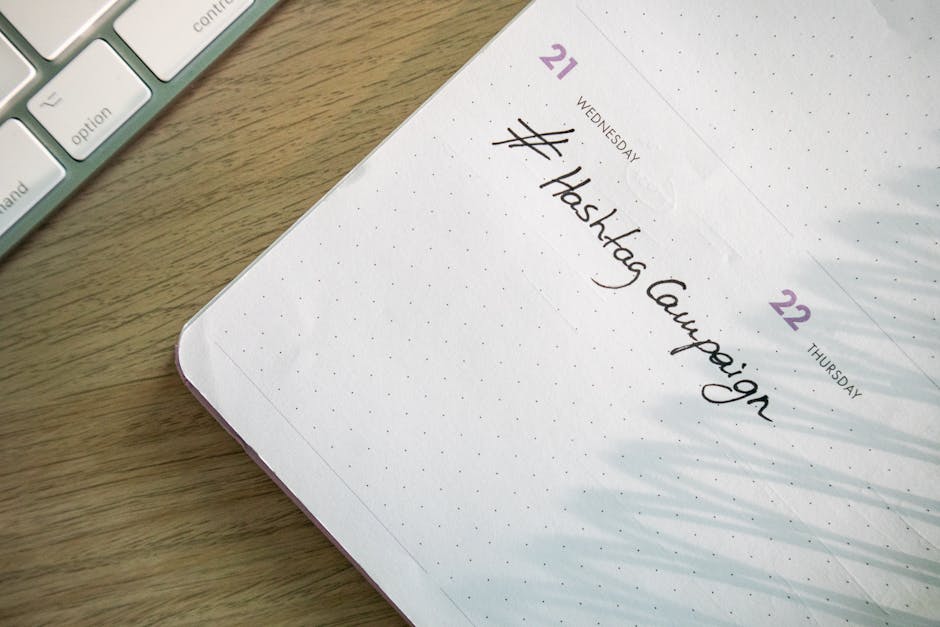
Managing a consistent social media presence while running a small business feels like juggling flaming torches—one missed post and your engagement plummets. The solution isn't working harder; it's working smarter with the right schedule social media posts app that saves 10+ hours per week. In 2026, automation tools have evolved beyond simple scheduling to offer AI-powered content suggestions, cross-platform management, and seamless blog integration. Whether you're promoting your latest Wix blog posts or building an automated content workflow, the right scheduling app can transform your social media from a time-consuming chore into a strategic growth engine that works while you sleep.
Why Automated Social Media Scheduling is Essential for Small Businesses in 2026
The numbers don't lie: small businesses using automated scheduling tools save 6-8 hours per week on social media management tasks. That's time you can redirect toward product development, customer service, or strategic planning. But the benefits extend far beyond time savings.
Platform Algorithms Reward Consistency
Major platforms like Instagram, LinkedIn, and TikTok have refined their algorithms to prioritize accounts that publish consistently. A bakery in Portland discovered this firsthand when they implemented Buffer's automated posting schedule. By maintaining daily Instagram posts at optimal times (7 AM and 5 PM based on their audience data), their engagement increased 300% within three months. Their secret wasn't creating more content—it was posting existing content at the right moments, every single day.
The compound effect of regular posting creates momentum that sporadic manual posting simply can't match. Each consistent post builds on the last, creating a reliable content stream that algorithms recognize and reward with increased visibility.
Blog Integration Multiplies Content Value
Modern scheduling apps excel at content repurposing. When you publish a blog post, your schedule social media posts app can automatically generate multiple social media variations—a LinkedIn article snippet, Instagram carousel slides, and Twitter thread segments—all from one piece of source content.
A digital marketing agency managing 50+ client accounts uses Hootsuite's automated Wix blog cross-posting feature to transform every client blog post into 4-6 social media posts across different platforms. This approach turns a single blog article into weeks of social content, maximizing the ROI of content creation efforts.
Top Social Media Scheduling Apps: Features That Matter Most
Not all scheduling apps are created equal. The tools that deliver real business results in 2026 share several key characteristics that separate them from basic posting schedulers.
Native Blogging Platform Integration
Look for apps that connect directly with WordPress, Wix, Ghost, and other major blogging platforms. This integration eliminates the copy-paste workflow that eats up time and introduces errors. The best tools can:
- Automatically detect new blog posts via RSS feeds
- Extract key quotes, images, and headlines for social posts
- Create platform-specific content variations from blog content
- Schedule promotional posts at predetermined intervals after publication
AI-Powered Optimization
Leading scheduling platforms now incorporate machine learning to optimize your posting strategy. These features include:
Smart timing recommendations based on when your specific audience is most active, not generic "best times to post" data that applies to everyone. Content performance prediction that suggests which posts are likely to perform best on each platform. Hashtag optimization that identifies trending and relevant tags for your industry and content.
Bulk Management Capabilities
Efficient scheduling requires bulk operations. Essential features include:
- Content calendar view showing all scheduled posts across platforms
- Bulk upload for images, videos, and post copy
- Template systems for recurring content types
- Approval workflows for teams managing multiple accounts
Performance Analytics Integration
Your scheduling app should provide detailed analytics that connect social media performance back to business goals. Track metrics like website traffic from social posts, lead generation from promoted blog content, and engagement rates by content type and posting time.
Step-by-Step: Setting Up Your Automated Social Media Workflow
Building an effective automation system requires methodical setup. Here's how to create a workflow that generates consistent results without constant oversight.
Connecting Wix to Your Scheduling App
How to schedule blog posts on Wix for automatic social promotion:
- Enable RSS feed in your Wix blog settings (found under Blog > Settings > RSS Feed)
- Copy your RSS URL (typically yoursite.com/blog-feed.xml)
- Connect to Zapier or your scheduling app's RSS integration
- Create trigger rules that activate when new posts are published
- Set up post templates for each social platform with placeholders for title, excerpt, and featured image
A Ghost blog owner uses this exact setup with Zapier to automatically create LinkedIn posts whenever they publish new content. The automation extracts the blog post title, first paragraph, and featured image, then schedules a LinkedIn post for 2 hours after publication—capturing immediate traffic while the post is fresh.
Creating Content Templates and Rules
Develop templates for different content types:
Blog promotion template: "New post: [TITLE] - [EXCERPT] [LINK] #blogging #[INDUSTRY]"
Quote highlight template: "[PULL QUOTE] - from our latest post: [TITLE] [LINK]"
Behind-the-scenes template: "Here's what went into writing [TITLE]... [PERSONAL INSIGHT] Full post: [LINK]"
RSS Feed Automation Setup
How do you automate your blog? RSS feeds are the backbone of hands-off automation:
- Configure your blog's RSS settings to include full content, not just excerpts
- Set up multiple RSS triggers for different content types (posts vs. pages vs. announcements)
- Create platform-specific rules that format content appropriately for each social network
- Add delay settings to stagger posts across platforms and avoid appearing spammy
Advanced Automation: Beyond Basic Scheduling
Once your basic scheduling system is running smoothly, advanced features can significantly amplify your results.
Cross-Platform Content Adaptation
The same blog post should look different on LinkedIn than on Instagram. Advanced scheduling apps automatically adapt content format, length, and visual elements for each platform. A 2,000-word blog post becomes a professional LinkedIn article preview, Instagram carousel slides highlighting key points, and Twitter thread breaking down main concepts.
Intelligent Hashtag and Trend Integration
Modern tools monitor trending topics and suggest relevant hashtags based on your content and industry. They can automatically add location-specific hashtags for local businesses or industry-specific tags for B2B content.
Engagement Automation Workflows
Set up automated responses for common engagement scenarios:
- Thank you messages for shares and saves
- Follow-up questions for comments on promotional posts
- Lead nurture sequences for users who engage with multiple posts
Performance-Based Optimization
Advanced systems adjust posting frequency and timing based on performance data. If LinkedIn posts consistently outperform Instagram for your business, the system can automatically allocate more content to LinkedIn while maintaining presence on other platforms.
Common Pitfalls and How to Avoid Them
Automation amplifies both good and bad practices. Avoid these common mistakes that can damage your social media presence.
Over-Automation Risks
The authenticity trap: Completely automated social media feels robotic without the right balance. Reserve 20-30% of your social media activity for real-time, personal interaction. Respond to comments manually, share spontaneous behind-the-scenes content, and engage authentically with your community.
Platform policy compliance: Each social network has specific rules about automation. Instagram restricts third-party posting, while LinkedIn encourages professional content sharing. Stay current with platform policies and adjust your automation accordingly.
Content Quality Control
Automated posting without review can lead to embarrassing mistakes. Set up approval workflows and implement content scheduling software that actually works for business accounts. Schedule a weekly review of upcoming posts to ensure content remains relevant and error-free.
Context sensitivity: Automated posts can't respond to current events or industry changes. Build flexibility into your system to pause or modify scheduled content when necessary.
Backup Strategies
API failures and platform changes can break automated workflows. Maintain manual posting capabilities and regularly test your automation systems. Keep a content buffer—extra posts ready to deploy if automation fails during critical periods.
Data backup: Export your content calendars and analytics regularly. If you need to switch scheduling platforms, having your historical data ensures continuity in your strategy.
The most successful automated social media strategies combine systematic efficiency with human authenticity. Your schedule social media posts app should handle the repetitive tasks of posting and basic optimization, freeing you to focus on creating quality content and building genuine connections with your audience. When implemented thoughtfully, automation doesn't replace the human element of social media—it amplifies it by ensuring your best content reaches your audience consistently, even when you're focused on running your business.